TinyCTF 2014 - Oh! What does this button do?
Note: For this challenge, we need install some things into our Android 5.1 device with Genymotion.
For example, an ARM Translator.
https://github.com/m9rco/Genymotion_ARM_Translation
Download APK: https://lautarovculic.com/my_files/rev200.zip
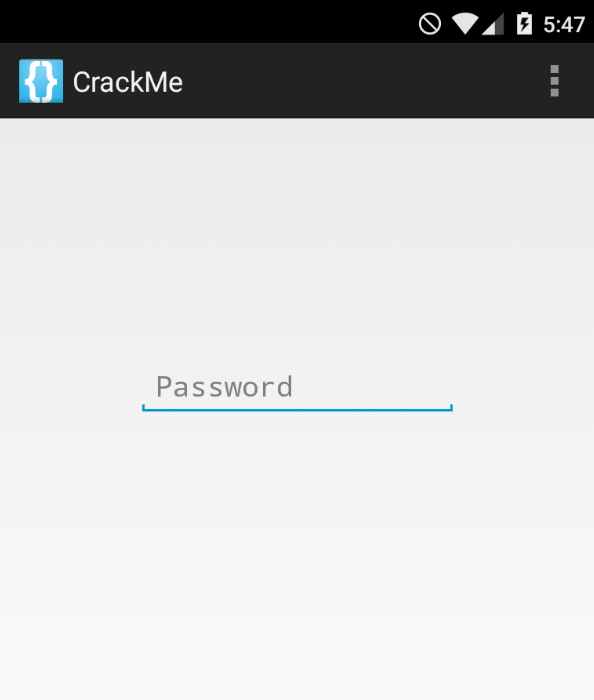
When download the .zip file, we can extract this with
The rev200 file is another zip file
So, what is an apk? We can look this as an zip. Then, rename the file
And now, we can install the apk file with adb
Now, decompile the apk with apktool
Let's inspect the source code with jadx (GUI version)
The package name is ctf.crackme
We have 2 activities that we are interested.
MainActivity
package ctf.crackme;

import android.app.Activity;
import android.content.Intent;
import android.os.Bundle;
import android.view.Menu;
import android.view.MenuItem;
import android.view.View;
import android.widget.Button;
import android.widget.EditText;


public class MainActivity extends Activity {

    protected void onCreate(Bundle bundle) {
        super.onCreate(bundle);
        setContentView(C0072R.layout.activity_main);
        ((Button) findViewById(C0072R.id.enterButton)).setOnClickListener(new View.OnClickListener() {

            public void onClick(View view) {
                if (((EditText) MainActivity.this.findViewById(C0072R.id.passwordField)).getText().toString().compareTo("EYG3QMCS") == 0) {
                    MainActivity.this.startActivity(new Intent(MainActivity.this, (Class<?>) FlagActivity.class));
                }
            }
        });
    }


    public boolean onCreateOptionsMenu(Menu menu) {
        getMenuInflater().inflate(C0072R.menu.main, menu);
        return true;
    }


    public boolean onOptionsItemSelected(MenuItem menuItem) {
        return menuItem.getItemId() == 2131230724 ? true : super.onOptionsItemSelected(menuItem);
    }
}
When button is pressed, the OnClickListener get the text from the field password.
This compare with the string EYG3QMCS.
If the compare is successful, this will call a new activity FlagActivity.
Then, insert the password and we'll get the flag
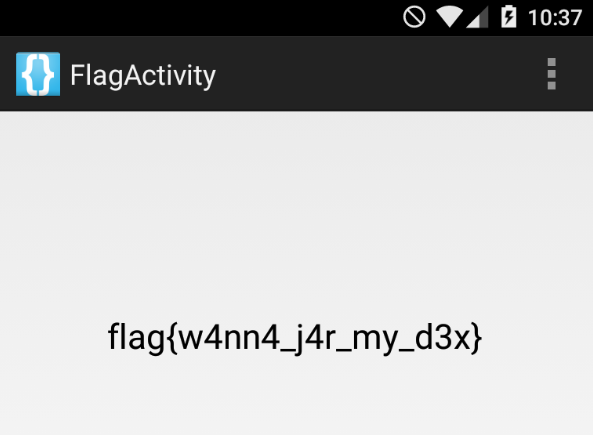
But, let broke this app. Let's modify the onClick method.
So the idea is that any string inserted, is the "correct password".
For that, we need change this if
The smali code that we need modify is this method
    move-result-object v2

    const-string v3, "EYG3QMCS"

    invoke-virtual {v2, v3}, Ljava/lang/String;->compareTo(Ljava/lang/String;)I

    move-result v2

    if-nez v2, :cond_29 # We need change this
The smali file are in the folder that apktool extract.
Search for the smali code that I mention previously. And just change this line
For this
Now, save the file and rebuild the app.
Create a key
And sign with jarsigner
jarsigner -verbose -sigalg SHA1withRSA -digestalg SHA1 -keystore name.keystore rev200/dist/rev200.apk alias
Uninstall the previous app and then install the new modified apk file.
Open the app and you can notice that the flag appears when we leave blank the password field.
I hope you found it useful (: